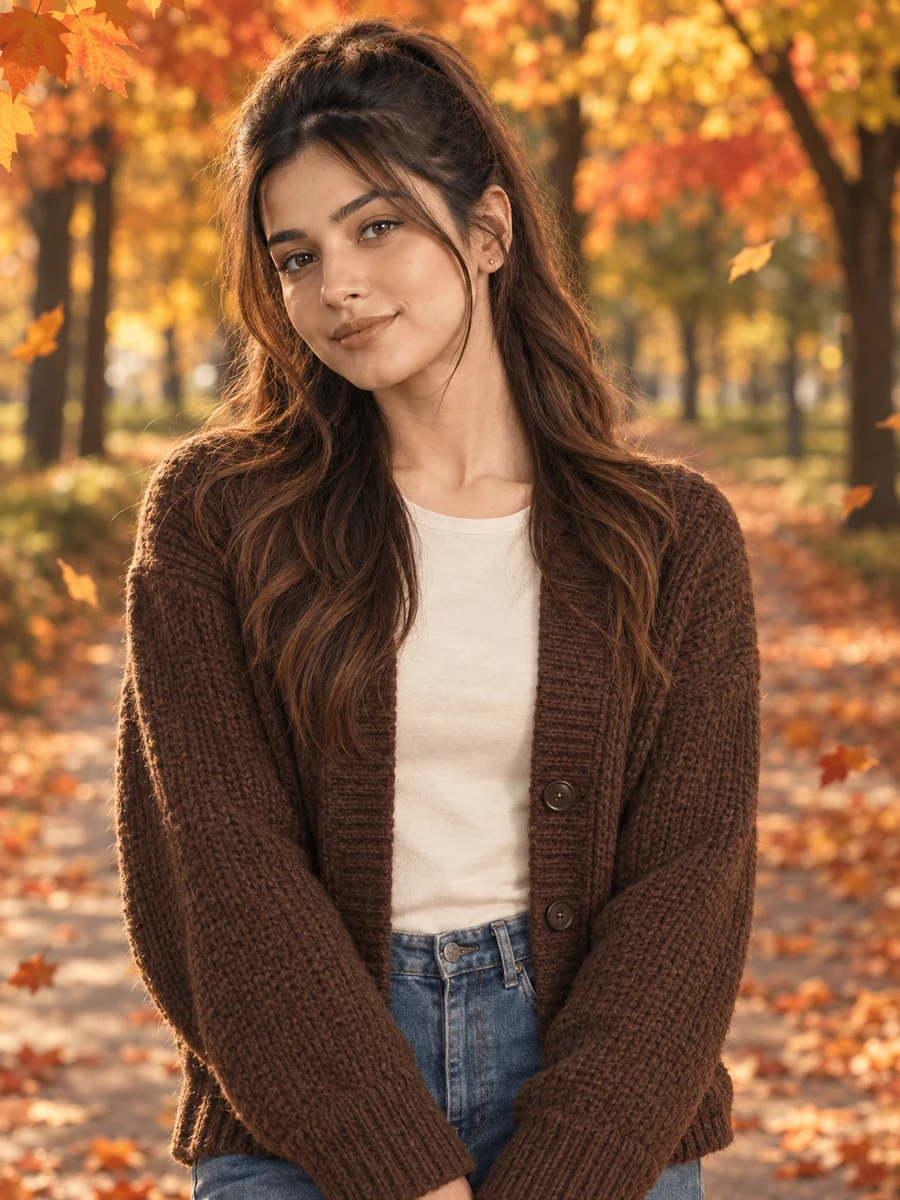
This photo prompt turns an ordinary photo into a warm, cosy autumn portrait beneath maple trees in a single generation. You get the same seasonal, magazine-style look shown above with no editing skills needed. It leans on a chunky knit cardigan and a maple-lined park path to build a warm, unhurried frame.
What this prompt creates
The instruction places the subject on a park path lined with maple trees in full autumn colour, wearing a chunky chocolate-brown cardigan over a cream top, with fallen orange and red leaves scattered on the ground and a few drifting through the air. It's a vertical portrait with warm, soft daylight and a shallow depth of field, so the maple canopy blurs into a rich wash of colour behind her. At around 170 words, the prompt is specific about the season and palette while leaving the exact pose loose for the model to interpret. The result stays recognisably you because your uploaded photo, not the prompt text, drives the likeness.
How to use this photo prompt
1. Tap Copy prompt above to copy the full text. 2. Open ChatGPT or Gemini and start a new chat. 3. Upload a clear, front-facing photo of yourself. 4. Paste the prompt and send it. 5. If the first result isn't quite right, regenerate once or twice — small wording changes shift the richness of the autumn colour a lot.
Tips for a better result
- Start with a well-lit reference photo, since the model can only preserve detail it can actually see.
- Leave headroom in your original photo — the output favours a vertical portrait crop, not a tight square.
- If the leaves look too sparse, add "a generous scatter of fallen leaves" to make the ground feel fuller.
- Change one variable at a time — cardigan colour, leaf density, or pose — instead of rewriting the whole prompt.
- Run the generation twice. Image models are random, and a second pass is often more richly coloured than the first.
- Start from your highest-resolution photo, since knitwear texture depends on how much detail the model can see.
Who this prompt suits
This prompt suits girls who want a warm, seasonal portrait for the autumn months rather than a generic outdoor shot. It works well as an Instagram post, a profile picture, or a WhatsApp DP, and reads clearly on both phone and desktop screens.
More prompts like this
Staying in the same autumn set, try the Countryside Fence Autumn AI Photo Prompt for a rural backdrop, the Stone Fountain Autumn AI Photo Prompt for a more refined park setting, the Window Light Autumn AI Photo Prompt for a calm indoor mood, and the City Sidewalk Autumn AI Photo Prompt for an urban take on the season. Browse the Girls category or the PromptSeva homepage for more prompts like this. If maple trees aren't available nearby, any tree line with warm autumn colour works just as well with this same base prompt.
This composition also works well as a small yearly tradition — the same maple-lined path prompt can be reused every autumn with an updated reference photo, giving you a consistent seasonal portrait to compare year over year.
What makes this style work
Three specific choices carry this look. The season and colour palette are named directly — full autumn colour, orange and red leaves — rather than left vague, which is what gives the image its rich, seasonal warmth. The framing and camera decisions keep the maple canopy as a soft colour wash rather than sharp, distracting detail. And the drifting leaves add a small sense of motion that a completely still scene wouldn't carry on its own.
You can reuse this same structure for your own prompt ideas: subject and outfit first, then setting, then lighting and camera, then a short negative list. Keeping that order is what makes a prompt behave predictably across regenerations instead of producing a different result every time you run it. Seasonal prompts like this one are also worth revisiting each year, since swapping in a fresh reference photo keeps the same reliable structure useful well beyond a single autumn.