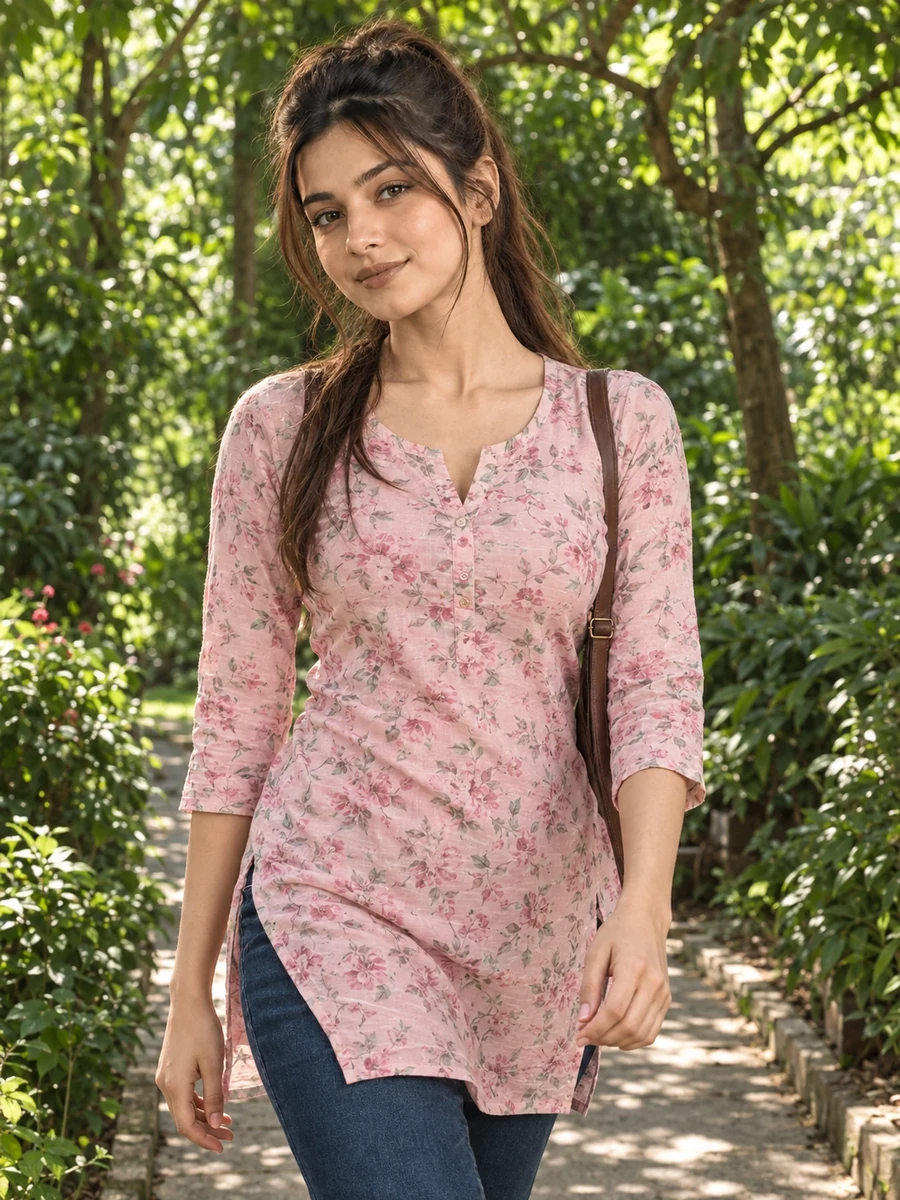
This free kurti and denim prompt turns your photo into a soft, candid garden portrait — a pastel pink floral rayon kurti paired with dark blue mom-fit jeans, captured mid-stride along a tree-lined path with dappled sunlight filtering through the canopy. The walking pose and natural candid smile give this image a different energy than a posed, static portrait — it feels like a moment caught during an actual walk rather than a deliberate photoshoot setup.
The lighting is one of the more technically interesting parts of this prompt: dappled light through tree leaves creates uneven, natural patterns across the scene rather than flat, even illumination. This kind of broken light is harder for AI models to render convincingly than simple daylight, but when it works, it adds a layer of realism that a flat-lit photo can't match.
How to Use This Prompt
1. Copy the full prompt above. 2. Open ChatGPT, Gemini, or any AI image tool that supports image uploads. 3. Upload one clear, front-facing photo of yourself. 4. Paste the prompt exactly as written and send it. 5. The AI will generate a photorealistic garden walking portrait using your actual face, styled in the floral kurti and jeans described above. 6. If the dappled light pattern looks too artificial or repetitive, ask the AI to "make the light and shadow pattern from the tree canopy more irregular and natural."
This prompt pairs well with the Mysore Palace prompt from the same collection if you want two garden-adjacent looks with different levels of formality.
Why Face Preservation Matters Here
Dappled, broken lighting is one of the more challenging conditions for facial accuracy in AI generation — patches of light and shadow moving across the face can sometimes cause a model to reinterpret facial contours rather than simply lighting them differently. This prompt's facial identity instructions are meant to anchor the underlying face regardless of how the dappled light falls across it.
If you notice your face looking distorted or oddly shadowed where the dappled light hits it, add a follow-up like "keep facial structure and proportions completely consistent with the reference photo, the dappled light should only affect brightness, not shape."
Who This Prompt Works Best For
This garden-walk portrait suits anyone who wants a soft, natural-feeling image for a personal blog, a wellness or lifestyle Instagram account, or a birthday or "get to know me" style post where a candid, in-motion photo feels more genuine than a posed one. Because the dappled lighting and walking pose give it a documentary quality, it also works well paired with a longer caption about a real walk, trip, or memory — the visual style supports storytelling rather than just showcasing an outfit.
It's not the ideal choice if you need crisp, evenly-lit facial detail as your top priority — the whole premise of this prompt is broken, dappled light, which by nature creates more shadow variation across the face than a flat-lit portrait. If facial clarity matters most, the mall storefront prompt's clean editorial lighting will serve you better.
Common Mistakes to Avoid
A frequent mistake is uploading a reference photo shot in flat, shadowless lighting and expecting the dappled garden light to apply perfectly on the first attempt — dappled light is genuinely one of the harder effects for AI models to render convincingly, so it's worth treating the first result as a draft and requesting adjustments to the shadow pattern if it looks too repetitive or artificial. Another common issue is not accounting for hair movement in a walking pose; if your reference photo shows hair pulled back tightly but you want it to look natural and loose while walking, mention that explicitly, since the AI won't infer hair behavior from a static reference. Lastly, avoid over-editing your reference photo's color balance before upload — a color-corrected or filtered photo can clash with the natural, slightly cooler tones of filtered garden light, creating a visible seam between your face and the scene.
Tips for Best Results
- Use a reference photo with clear, even lighting on the face — this gives the AI a stable base before it introduces the more complex dappled garden light.
- If the floral print on the kurti looks blurry or repetitive, ask for "clear, well-defined floral print detail on the fabric" in a follow-up.
- Try both ChatGPT and Gemini — dappled and filtered lighting scenes often show more noticeable quality differences between tools than flat-lit ones.
- For a calmer alternative, you can ask for "softer, more even light with less dappling" while keeping the outfit and pose the same.
- If you're building the full collection, this garden walk pairs nicely as a contrast to the more urban Marine Drive or Ambience Mall prompts from the same set.