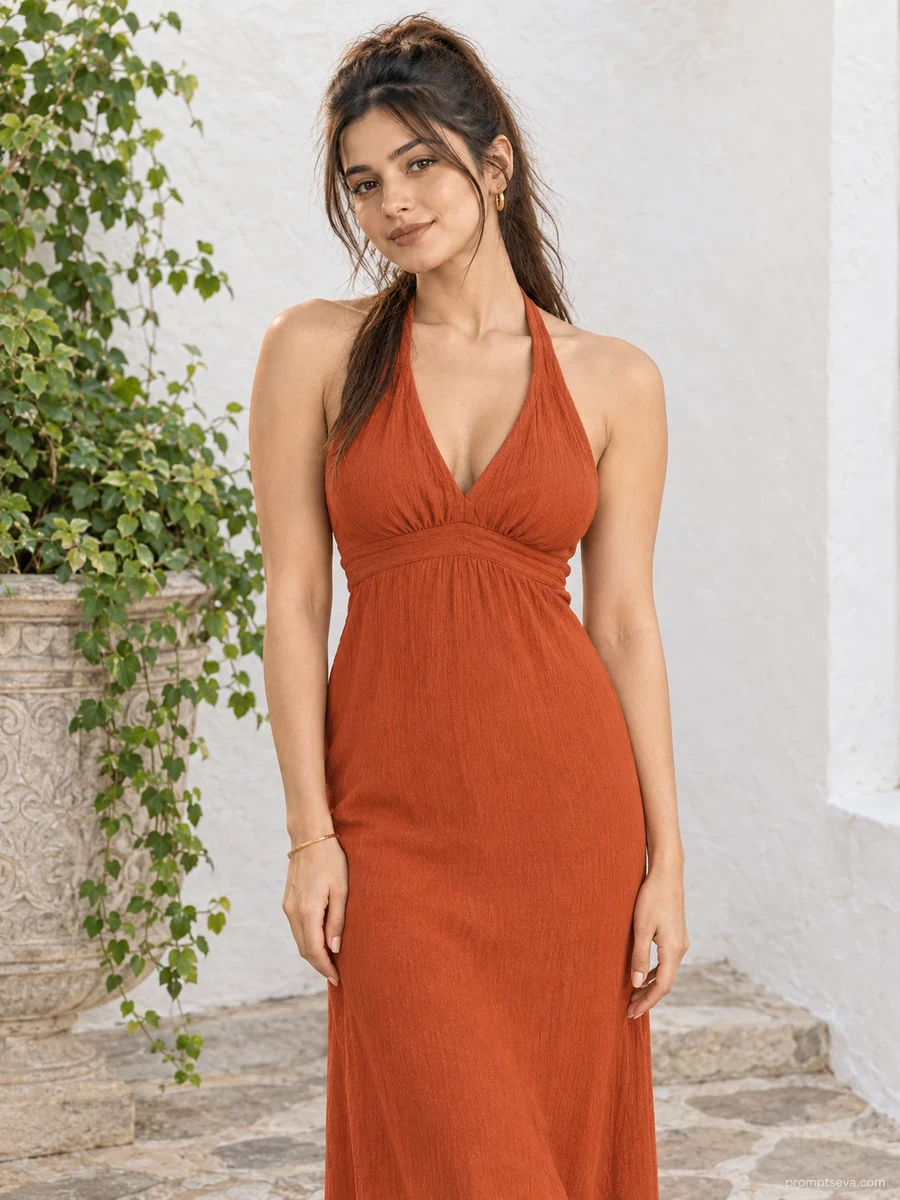
This free courtyard prompt turns your photo into a clean, minimal portrait set against a smooth lime-plaster wall — a rust-orange halter-neck maxi dress, terracotta sandals, and understated gold jewelry, lit by soft daylight bouncing off the courtyard's pale surfaces. The composition is deliberately simple: centered framing, a plain wall, one carved stone planter for visual interest. That restraint is what makes it work — the color of the dress against the whitewashed backdrop does most of the visual heavy lifting, without competing props or busy backgrounds.
The lighting here is worth paying attention to. Rather than direct sunlight, the prompt specifies soft reflected daylight bouncing off courtyard surfaces — the kind of even, shadow-free light you'd get in a whitewashed alley at midday. This avoids the harsh, high-contrast look that direct sun often produces in AI-generated images, and keeps skin tones looking natural rather than blown out.
How to Use This Prompt
1. Copy the full prompt above. 2. Open ChatGPT, Gemini, or any AI image tool that supports image uploads. 3. Upload one clear, front-facing photo of yourself. 4. Paste the prompt exactly as written and send it. 5. The AI will generate a photorealistic courtyard portrait using your actual face, styled in the rust-orange maxi dress described above. 6. If the pose looks too flat, ask the AI to "add a very slight three-quarter turn to the shoulders" while keeping the face and framing unchanged.
This minimal, color-forward style pairs well with the market corridor prompt in the same collection if you want a mix of static and walking portraits from a single set of source photos.
Why Face Preservation Matters Here
Because this prompt uses a centered, straight-on composition, the face becomes the clear focal point of the entire image — there's no walking motion, dramatic angle, or busy background to distract from it. That makes facial accuracy even more critical than in more dynamic shots. The prompt's facial identity instructions are written to prevent the AI from "cleaning up" your features into a more symmetrical or generic look, which is a common failure mode in straight-on AI portraits.
If you notice the eyes, nose, or jawline shifting from your reference photo, add a reinforcing instruction like "match facial proportions exactly to the uploaded photo, no adjustments." This is particularly effective with tools that tend to apply subtle facial "improvements" automatically.
Who This Prompt Works Best For
This minimal courtyard portrait is a strong pick for anyone who wants one clean, high-impact image rather than a busy scene — it works well as a dating profile photo, a simple Instagram post that lets a bold dress color stand out, or a personal branding shot for creators in the fashion or minimalist-lifestyle space. Because the background is plain and the framing is centered, it also crops well for different aspect ratios, making it practical for people who need one photo that works across multiple platforms (a square Instagram post, a portrait-oriented story, a rectangular website banner).
It's not the right choice if you want a scene with narrative detail or a strong sense of "place" — the whitewashed wall is intentionally generic and could be almost any Mediterranean-style courtyard. If a specific setting matters to your content, look at one of the collection's more landmark-driven prompts instead.
Common Mistakes to Avoid
Because this prompt uses a straight-on, centered composition, the single biggest mistake is uploading a reference photo taken from a low or high angle — that mismatch forces the AI to reinterpret your face at an angle it wasn't given, which is where accuracy tends to slip. Another pitfall is choosing a rust-orange tone that clashes badly with your reference photo's lighting conditions in your mind's eye but not specifying it clearly; if you want a different shade, name the exact color rather than leaving it to interpretation. Finally, watch out for over-editing the reference photo before upload — heavy filters or skin-smoothing apps remove the texture detail this prompt is designed to preserve, so the "no plastic skin" instruction has less real information to work from.
Tips for Best Results
- Use a reference photo taken roughly at eye level and facing forward — this matches the composition of the prompt and gives the AI the clearest structural reference.
- If skin tone looks inconsistent with your reference photo, add "match exact skin tone from uploaded photo" as a follow-up.
- Try both ChatGPT and Gemini — one may render the dress's crepe fabric texture more realistically than the other.
- If you want a slightly different mood, you can swap "rust-orange" for another solid color while keeping every other instruction the same.
- For social media use, generate two or three versions and compare expressions — even small differences in mouth position can change how natural the final portrait feels.